
ジェットローミング VPN
ジェットローミング VPNはAndroid・iOSアプリで端末通信を、Chrome拡張機能でブラウザ通信を、空港・ホテル・カフェの公衆Wi-Fiから保護します。eSIMと併用でき、新規会員は7日間無料トライアルが利用できます。
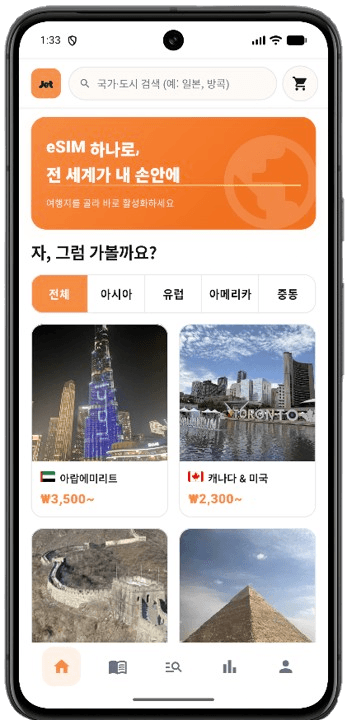
ジェットローミングアプリをダウンロード
eSIMとVPNをひとつのアプリで。 QRまたは下のストアボタンからインストールできます。
VPNタブ
ワンタップON/OFF
公共Wi-Fi
eSIM連携

QRコードをスキャン

暗号化接続
7日間無料トライアル
アカウント連携
Chromeウェブストア公開中
ジェットローミング VPN 拡張機能
空港・ホテル・カフェのWi-FiでChromeブラウザ通信を暗号化。Chromeウェブストアから無料でインストールし、ジェットローミングアカウントでログイン後、ポップアップからワンタップでONにできます。
ブラウザ専用
ワンタップON/OFF
公共Wi-Fi
ブラウザ通信の暗号化
7日間無料トライアル
アカウント連携

あなたに合うVPNの価格とプランを選ぶ
プラン比較
| プラン比較 | Basic ₩4,800月あたり /月 準備中 | 最も人気 Complete ₩6,200月あたり /月 準備中 | Complete Max ₩8,900月あたり /月 準備中 |
|---|---|---|---|
| VPN機能 | |||
| 安全で高速なVPN | |||
| スキャム・フィッシング保護 | |||
| 最大10台のデバイス保護 | |||
| Dark Web Monitor™ | 最大5件のメールの漏洩リスクを監視。 | ||
| Dark Web Monitor Pro™ | 最大8件のメールに加え、電話・カード・ID番号の漏洩リスクを監視。 | 最大8件のメールに加え、電話・カード・ID番号の漏洩リスクを監視。 | |
| 専用IP | |||
| セキュリティ | |||
| 次世代アンチウイルス | |||
| マルウェア保護 | |||
| 高度なブラウジング保護 | |||
| 広告・トラッカーブロック | |||
| 無制限メール保護 | |||
| 30日間返金保証 | |||
ジェットローミング VPNの特徴
公共Wi-Fi保護
アプリは端末通信を、Chrome拡張機能はブラウザ通信を、空港・ホテル・カフェのWi-Fiで暗号化します。
ワンタップON/OFF
アプリのVPNタブまたはChrome拡張のポップアップからワンタップで切り替え。
eSIMと併用
データはeSIM、接続保護はVPN — 旅行の接続をジェットローミングで。